


Local Weather: Weather Radar
3.862.00 Reviews
App Specs
- Version
- 1.0.2
- Updated On
- License
- Free
- Downloads
- 100,000+
- Developer
- Viscept Mobile
- Categories
- Weather
- Platform
- Android
Screenshots
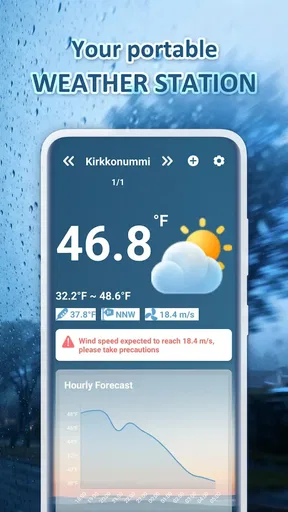
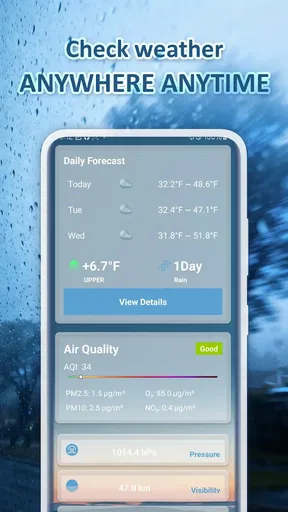
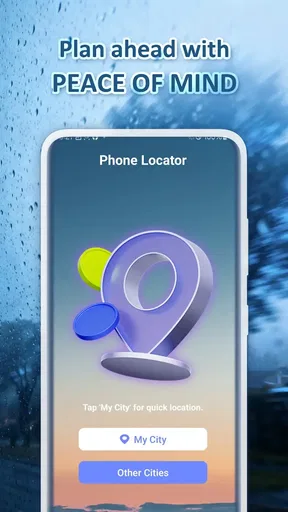
 Analysis by AppCompare
I used to lose more time than I liked bouncing between weather screens just to answer one small question: should I change my plans, or simply bring a jacket? A local forecast is most useful when it shortens that decision, not when it makes me study charts. Local Weather: Weather Radar aims to put current conditions, forecasts, radar, and alerts within easy reach. In my view, its appeal is practical: it can help turn a quick glance into a more confident choice.
Getting to a useful first check
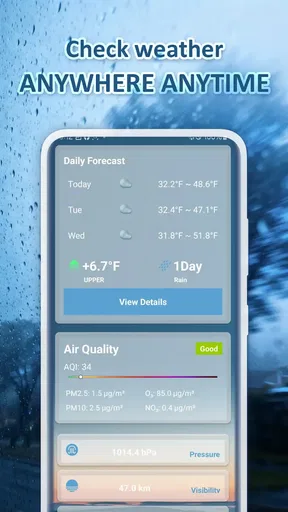
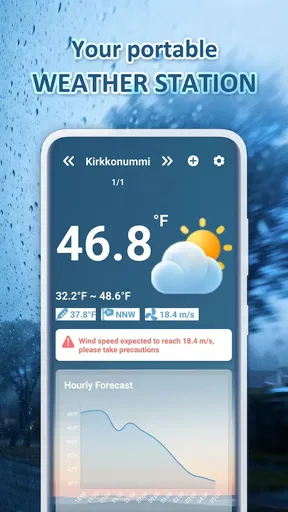
The first screen is presented as a straightforward place to check current weather, with hourly and weekly forecasts available by swiping. That layout suits the way I use a weather app: I usually want to know what is happening now, then whether the next few hours will change my plans. The app is free, is developed by Viscept Mobile, and its age rating is Everyone, so it is aimed at everyday use rather than a specialist audience.
I would start by setting the location I care about most and choosing Celsius or Fahrenheit and a 12-hour or 24-hour clock. These small choices matter because they remove the mental conversion step from a rushed check. If I regularly compare home with a workplace or a relative’s city, saving favorite locations gives me a more useful routine than searching for each place again.
When the radar earns its place
The interactive radar is the part I would open when a simple forecast feels too broad. A daily forecast can tell me that rain is possible; looking at the map can help me judge whether weather is approaching the area I care about. I can zoom in or out to get a closer or wider view, which is useful when deciding whether to postpone a walk or continue with an outdoor plan.
For example, imagine I am about to leave for a picnic and the sky looks unsettled. I would check the hourly outlook first, then use radar to see whether the rain pattern appears relevant to my location. If the plan involves a longer drive or a fixed start time, I would check again before leaving rather than treating one glance as a guarantee. Radar helps with context, but it cannot promise exactly what will happen at one spot.
That distinction is worth keeping in mind. A radar map can look reassuring or worrying at a glance, yet weather can change and local conditions do not always follow a neat line on a screen. I see it as a planning aid, not a substitute for judgment or official safety advice when conditions become dangerous. For a casual decision about an umbrella, that balance is usually enough.
Alerts and location switching in everyday use
Weather warnings are another useful part of the app. A notification can save me from remembering to check repeatedly when severe weather is a possibility. I would still treat an alert as a prompt to pay attention, rather than assuming that a notification alone gives the full picture. When a warning could affect travel or safety, I would check the details and follow local guidance.
Worth Reading Before You Choose

EA SPORTS FC Mobile 26 Is a Bigger Football Game, but It Takes Time

Flipboard Shows What News Apps Must Do Beyond the Feed

Switching to Android Auto Means Rethinking Your Driving Routine

Google Calendar Makes a Crowded Week Easier to Manage

Ludo King Makes the Most of the Minutes Between Plans

Baby Panda World Brings Quick Play to Modern Phones, but Its Game Library Feels Busy
Multiple locations make the app more relevant for people whose day does not happen in one place. Before visiting family, for instance, I can check their city as well as my own and pack for the destination instead of relying on conditions at home. The practical tip is to keep the list focused on places that affect real decisions; a long collection of locations can make a quick check slower rather than easier.
The home-screen widget is helpful when I only need a glance. I can check conditions without opening the app, then go into the forecast or radar if something looks uncertain. That two-step habit is more efficient than opening a detailed map every morning, and it keeps the radar available for the moments when it actually adds information.
What it does well, and where I would be cautious
The app’s clean presentation and clear weather icons are intended to make conditions easy to scan. Its average rating is 3.9 from around 140 ratings, with about 14 written reviews, and it has over 50,000 installs. Those figures suggest that it has found an audience, but they are not a substitute for checking whether its layout and forecast style suit you. The current version is 1.0.2, so I would also keep expectations measured about how much polish or depth a relatively early version may offer.
In the weather category, the familiar alternatives range from a phone’s built-in forecast to services that emphasize detailed maps or specialist meteorological information. A built-in app may be quicker if all I need is the temperature. A radar-focused service may suit someone who wants to inspect weather movement in detail. This app sits between those habits: it combines ordinary forecasts with an interactive radar and alerts, without asking the casual user to make the map the whole experience.
Its main trade-off is that having several ways to check the weather does not automatically make every forecast more dependable. I would compare it with another trusted local source when a decision has real consequences, especially for a long trip or outdoor work. For a routine choice—what to wear, whether to carry an umbrella, or whether to move a walk earlier—the combination of current conditions, hourly and weekly views, and radar is more convenient than switching among separate tools.
First Impressions and Interface
When you first open the app, you’re greeted with a clean, intuitive interface. No clutter, just straight-up weather details. The design is sleek and user-friendly, which makes navigating through the app a breeze. You’ve got your current weather conditions displayed prominently, and with just a swipe, you can check out hourly and weekly forecasts. It’s all about making things easy, and I’m here for it!
The color scheme is pleasant and doesn’t overwhelm, which is great when you just want to quickly check the weather without feeling bombarded. The icons are clear, so you’ll know at a glance if it’s rainy, sunny, or somewhere in between. It’s like the app is speaking my language, you know?
Features That Stand Out
So, what’s under the hood? Local Weather: Weather Radar packs quite a punch. One of its standout features is the live weather radar. You can track weather patterns in real-time, and the interactive map lets you zoom in and out to get a detailed view of what’s heading your way. It’s perfect if you’re planning a picnic or an outdoor event and need to know if rain might crash your party.
Another cool feature is the severe weather alerts. I’m not one to panic, but it’s nice to get a heads-up if there’s a storm brewing. The app sends you notifications about weather warnings, so you’re never caught off guard. It’s like having a little guardian angel looking out for you!
For those of us who are always on the move, the app provides weather updates for multiple locations. Whether you’re traveling or just curious about what’s happening in another city, it’s got you covered. You can even set favorite locations for quick access.
Customization and Extras
I love a good customizable app, and this one doesn’t disappoint. You can tweak the settings to display the weather in Celsius or Fahrenheit, depending on your preference. Plus, there’s an option to switch between 12-hour and 24-hour time formats. It’s the little things that make a big difference, right?
Additionally, the app offers a widget that you can add to your home screen. This way, you can check the weather without even opening the app. It’s a small feature but incredibly handy for those rushed mornings when you just need to know if you should grab an umbrella on your way out.
Performance and Reliability
In terms of performance, the app runs smoothly without any noticeable lags. The updates are timely, and the information is accurate. I’ve cross-checked the forecasts with other sources, and Local Weather: Weather Radar holds its ground. The radar feature loads quickly, and I’ve yet to experience any crashes, which is a big win in my book.
Battery usage is minimal, which is a relief because who needs another battery-draining app, right? It’s efficient and doesn’t hog resources, making it a great companion for daily use.
Final Thoughts
Overall, Local Weather: Weather Radar is a solid choice for anyone needing a reliable weather app. It’s packed with features that are both practical and easy to use. Whether you’re a weather enthusiast or just someone who wants to avoid getting drenched, this app has something for you. It’s become my go-to for weather updates, and I think it’ll win you over too.
If you’re curious or ready to give it a whirl, check it out on your app store. Happy weather watching!
Who will get the most from it?
I think this is a good fit for people who make small outdoor decisions throughout the day and want the forecast, map, and alerts in one place. Commuters can check conditions at both ends of a journey; parents can compare the weather at home with a child’s destination; and anyone planning a walk can use the hourly view before choosing when to go. The app is most useful when it saves a second search, not when the user needs a scientific analysis.
It is less compelling for someone who only checks the temperature once a day and already has a suitable built-in weather tool. It may also not be the right primary source for users who need highly specialized storm tracking or who make safety-critical decisions based on detailed meteorological data. In those cases, I would choose a service designed for that level of detail and treat this app as a convenient companion.
A sensible routine for better decisions
One practical way to use it is to make the widget the quick morning check, then open the hourly forecast only if the day includes an outdoor commitment. If rain is a concern, use radar as a second look rather than repeatedly refreshing it without a decision in mind. Before leaving for another city, add that location in advance so the trip check is ready when needed. These habits keep the app useful without turning weather-checking into a distraction.
If you are wondering whether you need to create a complicated setup, I would keep it simple: choose your preferred units and clock, save only the locations you regularly check, and use alerts as prompts to review conditions. The free price makes it easy to try as a daily utility, while the Everyone age rating reflects its broad, general-purpose audience. I would judge it by whether it helps you make those everyday calls faster after a few days of normal use.
Verdict: convenient, with ordinary weather-app limits
For me, the strongest reason to keep this app is the practical mix of a quick forecast, a radar map for uncertain skies, saved locations, and a widget. It is not necessary to use every part every day. The best workflow is to glance first, open the map only when it answers a real question, and cross-check elsewhere when the stakes are high. That approach keeps the convenience while avoiding overconfidence in any single forecast.
I would recommend giving it a try if you want a straightforward local weather app and often need to decide what to wear, when to head out, or whether an outdoor plan needs a backup. If you already rely on a specialist forecast or rarely look beyond your phone’s basic weather display, the extra radar and location tools may not change your routine enough to matter. For everyone in between, it offers a practical way to spend less time hunting for the answer and more time getting on with the day.
Pros
- Accurate real-time weather updates.
- User-friendly interface with intuitive design.
- Detailed radar maps for tracking storms.
- Customizable weather alerts and notifications.
- Supports multiple locations for easy monitoring.
Cons
- Ads can be intrusive in the free version.
- Requires internet for real-time updates.
- Some features locked behind a paywall.
- Occasional bugs with location tracking.
- Limited widget customization options.
FAQs for Local Weather: Weather Radar
What features does Local Weather: Weather Radar offer?
Local Weather: Weather Radar provides comprehensive weather forecasts, real-time radar imagery, and severe weather alerts. Users can view detailed hourly and daily forecasts, track storms with radar maps, and get notifications for extreme weather conditions. The app also includes widgets for quick access to weather updates right from your home screen.
Is Local Weather: Weather Radar free to use?
Yes, Local Weather: Weather Radar is free to download and use. However, it offers in-app purchases and subscription options for premium features. These may include ad-free usage, advanced radar tools, and more detailed weather analytics. Users can enjoy the basic features at no cost while having the option to upgrade for enhanced functionality.
How accurate are the weather forecasts in the app?
Local Weather: Weather Radar uses reliable meteorological data from trusted sources to provide accurate forecasts. While the app strives for precision, weather predictions can sometimes be affected by unforeseen atmospheric changes. Users are advised to check for updates regularly, especially during rapidly changing weather conditions, to ensure they have the most current information.
Does the app work internationally, or is it limited to certain regions?
Local Weather: Weather Radar is designed to provide weather information for users worldwide. It supports multiple locations, allowing travelers and residents in different regions to access detailed forecasts wherever they are. However, the availability of certain features, like radar imagery, may vary based on regional data coverage.
What are the system requirements for installing Local Weather: Weather Radar?
To install Local Weather: Weather Radar, your device needs to run on Android 5.0 or iOS 11.0 and above. The app requires a stable internet connection to fetch real-time weather data and radar imagery. Ensure your device has enough storage space for the app and any additional data or updates that may be downloaded periodically.


